The Shoe Box of Receipts: Transitioning to Cloud Accounting Before Tax Season
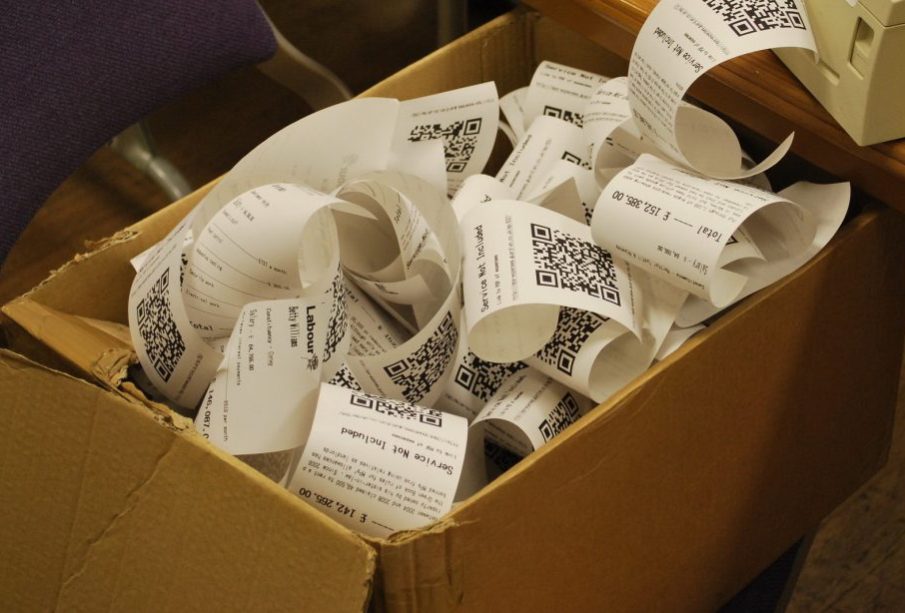
Every January, thousands of small business owners reenact an exhausting annual ritual. Somewhere in the back of an office closet, tucked inside a desk drawer, or sitting on the passenger seat of a work truck lies the proverbial shoe box. Inside is a chaotic archaeology of the prior twelve months: curled thermal paper from gas stations, stapled restaurant stubs, wrinkled equipment invoices, and handwritten vendor slips.
Sorting through this paper avalanche under the looming shadow of a tax deadline is more than an administrative nuisance. It drains executive energy, produces needless anxiety, and often leads to costly accounting errors. The dread associated with tax season rarely stems from calculating business earnings; it comes from the grueling forensic reconstruction required to prove them.
Transitioning to cloud accounting before tax season arrives is the single most effective way to eliminate this panic permanently. Moving your financial records to the cloud is not merely about digitizing paper; it is about establishing a continuous, automated financial ecosystem that gives you clear visibility into your cash flow year-round.
The Hidden Vulnerabilities of Paper-Based Recordkeeping
Relying on physical receipts creates compounding operational risks that most business owners underestimate until an auditor requests proof of purchase.
The most immediate danger is physical degradation. The vast majority of retail point-of-sale receipts are printed on thermal paper, which relies on a chemical heat reaction rather than wet ink. Over six to twelve months, exposure to light, friction, or heat from a warm car dashboard causes the printing to fade completely. By the time a tax preparer or auditor reviews those receipts two years later, they are often blank slips of paper. Without legible substantiation showing the vendor, date, amount, and business purpose, deductions can be summarily disallowed during an audit.
Beyond physical degradation, physical paper creates severe operational friction:
-
Missed and abandoned tax deductions: Out-of-pocket expenses paid with cash or personal funds regularly slip through the cracks. When small twenty-dollar and fifty-dollar expenses are lost under vehicle seats or discarded at coffee shops, business owners surrender thousands of dollars in cumulative write-offs each year.
-
Inflated accounting fees: Certified Public Accountants and professional bookkeepers charge premium hourly rates. Handing an accounting firm a stack of disorganized paper means paying a skilled professional to sort receipts rather than provide high-value tax planning and financial strategy.
-
Zero disaster resilience: Physical files are susceptible to water leaks, fires, accidental disposal, and simple misplacement. A single localized incident can wipe out years of critical business history.
-
Lagging financial awareness: Paper-based systems are inherently backward-looking. Business owners who rely on paper files only understand their true profitability months after the year has ended, making it impossible to make proactive adjustments to pricing, hiring, or tax mitigation.
Choosing the Right Window for Migration
Timing is everything when revamping financial workflows. Many business owners assume they must wait until the stroke of midnight on December 31 to implement new accounting software. In reality, waiting for year-end often backfires because owners are already overwhelmed by holiday schedules, inventory counts, and year-end customer demands.
The optimal time to transition is during the final quarter of the calendar year or the early weeks of the first quarter. Making the switch before peak tax preparation begins allows you to establish bank feeds, configure automated rules, and build daily digital habits before deadlines force hasty decisions.
When timing your transition, avoid the trap of trying to retroactively scan every scrap of paper from the past five years. Attempting to back-fill extensive historical receipts into a brand-new system creates immediate burnout and leads to abandoned implementations.
Instead, adopt a clean two-track transition strategy. Use your legacy records to close out the prior tax year as simply as possible, while launching your cloud platform on a specific cutover date for all forward-looking transactions. This draws a clean line between the past and the future, allowing you to build forward momentum without getting bogged down in retroactive data entry.
Assembling an Integrated Cloud Architecture
Modern cloud accounting does not require complicated enterprise software or an IT team. Today’s business platforms are intuitive, mobile-friendly, and designed to work together through automated data handoffs. A robust setup generally consists of three core layers.
The Central General Ledger
At the foundation of your system is the cloud general ledger. Platforms such as QuickBooks Online, Xero, or FreshBooks serve as the single source of truth for your business finances. These platforms host your chart of accounts, store customer and vendor records, produce balance sheets, and track income and expenses in real time. Because these systems are hosted securely in the cloud, you and your tax professional can review identical figures simultaneously without emailing spreadsheets back and forth.
Intelligent Receipt Capture and Optical Recognition
The physical shoe box is replaced by an automated digital ingestion app. Tools like Dext Prepare, Hubdoc, or the integrated mobile scanners within core accounting platforms use Optical Character Recognition (OCR) to read uploaded receipt photos. The software automatically extracts the merchant name, transaction date, total amount, and applicable sales tax, matching the scanned image to the corresponding bank transaction.
Automated Bank and Credit Card Feeds
Direct bank integrations connect your commercial checking, savings, and credit card accounts directly to your general ledger. Cleared transactions flow into your accounting dashboard on a daily basis, waiting to be verified and reconciled against your uploaded receipts.
A Four-Step Migration Playbook
Transitioning from analog disarray to digital automation requires a methodical sequence. Following a structured roadmap ensures you build a system that lasts.
Step 1: Purge and Categorize the Legacy Paper
Begin by confronting the existing backlog. Clear a large table and separate documents into three distinct piles:
-
Permanent capital and legal documents: Keep original purchase agreements, equipment asset titles, commercial vehicle paperwork, and corporate governance documents. These must remain preserved permanently.
-
Current-year deductible expenses: Group receipts by month or payment account (such as business credit card vs. cash outlays). Focus on high-dollar expenditures first.
-
Redundant utility slips and junk paper: Discard ATM balance slips, duplicate customer credit card receipts where you already hold the itemized bill, and personal receipts mistakenly mixed into company files.
Step 2: Establish a Capture-at-Purchase Routine
The most reliable way to prevent receipt backlogs is to digitize receipts immediately at the point of sale.
Establish an absolute operational rule: photograph the receipt before leaving the vendor’s parking lot. Pull out your smartphone, open your capture app, photograph the slip, and let the software process the data. Once the image upload is confirmed, the physical receipt has completed its primary job.
For digital transactions, avoid printing electronic invoices to put in a folder. Configure automated forwarding rules in your email client so that receipts from software subscriptions, cloud hosting providers, and digital vendors route directly into your receipt inbox without manual intervention.
Step 3: Connect Feeds and Establish Matching Rules
Once your bank feeds are linked, spend time building automated categorization rules. If your company pays an identical monthly charge to an internet service provider or equipment leasing company, create a rule that assigns the vendor, account category, and tax class automatically.
Automation should assist your bookkeeping, not replace your oversight. Review incoming transactions weekly to confirm that categories remain accurate. Bank feeds frequently pull ambiguous merchant names that require a quick manual glance to verify.
Step 4: Institute the Fifteen-Minute Weekly Reconciliation
The secret to an effortless tax season is shifting from an annual reconciliation marathon to a quick weekly rhythm.
Block out fifteen minutes every Friday afternoon to open your cloud ledger. Clear out the receipt queue, match newly scanned receipts against the downloaded bank entries, and categorize any unmatched charges while your memory is fresh. Addressing five to ten transactions each week takes minutes; tackling five hundred transactions in March takes days of painful detective work.
Managing the Behavioral and Cultural Shift
Migrating to the cloud is fundamentally an operational habit shift rather than a software installation. The best accounting software in the world fails if business owners and their team members revert to stuffing paper into glove compartments.
If you employ staff who incur business expenses, replace paper expense reports with clear digital guidelines. Issue employee purchasing cards linked directly to the cloud system, and mandate that expense reimbursements require a clear digital photo uploaded through the mobile application. When employees realize their expense payouts process twice as fast through digital channels, compliance becomes almost effortless.
Equally important is looping in your tax preparer early. Provide your accountant with their own administrative login to your platform. Ask them to review your chart of accounts ahead of time to confirm that your income and expense categories align cleanly with the schedules on your business tax return. This simple alignment saves hours of reclassification work when return preparation begins.
Digital Retention Standards: What to Keep and What to Shred
A common concern among business owners switching to digital systems is whether the Internal Revenue Service and state taxing authorities will accept scanned receipts in lieu of physical paper.
Taxing authorities have permitted digital recordkeeping for decades, provided the digital records satisfy basic standards. Electronic storage systems must maintain records in a legible, accurate, and readily retrievable format. The digital reproduction must capture all the information contained on the original receipt, including line items, dates, and payment methods. As long as your cloud repository creates reliable, high-resolution digital copies that can be exported on demand, physical thermal receipts do not need to be retained indefinitely.
However, certain documents must remain stored in their original physical form:
-
Documents bearing original wet-ink signatures on legal settlements or binding corporate agreements.
-
Real estate deeds, commercial lease contracts, and physical promissory notes.
-
Vehicle and heavy machinery titles.
-
Active insurance policies and physical certificates of authority.
For ordinary operational expenses—office supplies, meals, fuel, lodging, and minor tools—once the digital capture is confirmed and matched to a reconciled bank feed, the thermal receipt can be safely shredded.
Reclaiming Operational Momentum
Retiring the shoe box of receipts is not just about streamlining compliance; it is about respecting your own time and mental bandwidth. Running a competitive business requires focus, strategic planning, and operational agility. Wasting valuable weekends piecing together crumpled paper under intense tax deadlines is an unnecessary distraction that modern software makes obsolete.
By building a cloud-based accounting foundation before tax season arrives, you transform financial management from an annual crisis into a predictable background process. When tax deadlines approach, you will not be searching through desk drawers for lost expenses. You will simply generate a clean profit and loss statement, grant your accountant access with a single click, and keep your attention firmly focused on serving your clients and expanding your business.